Build a Production AI Lead Scoring Pipeline with n8n, OpenAI and Slack (2026)
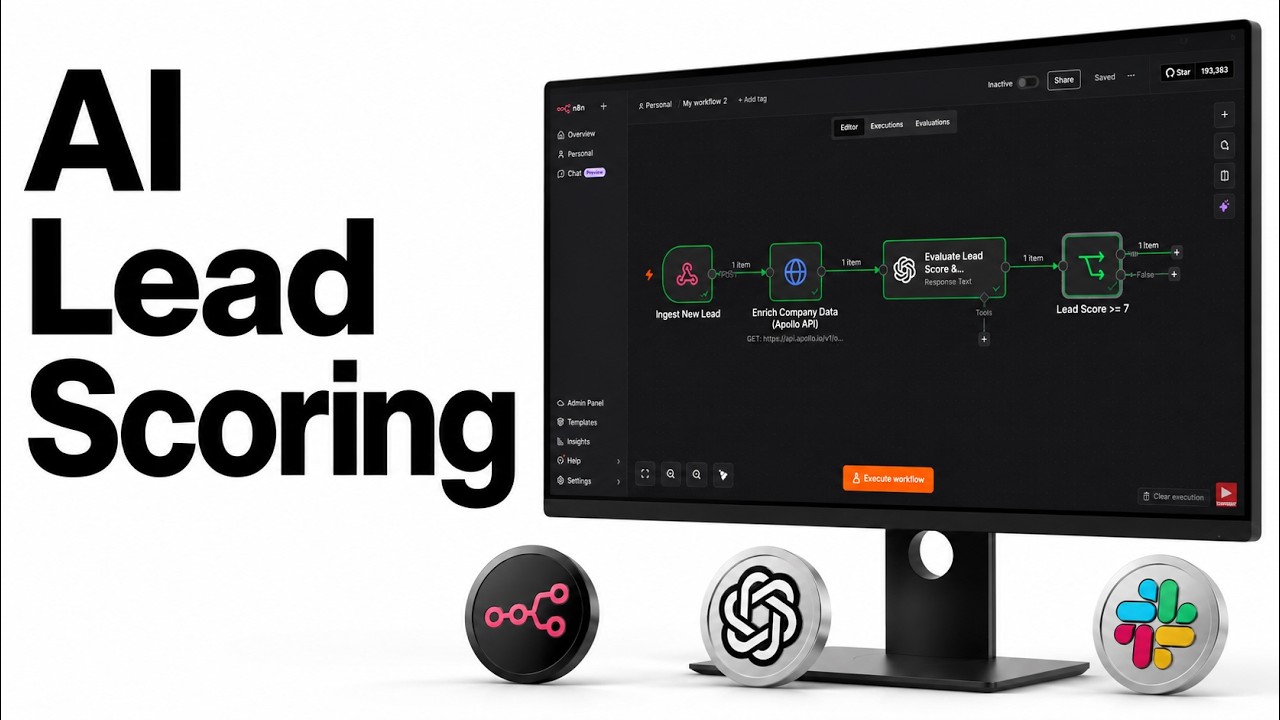
A lead fills out your contact form. Five seconds later, that lead has been enriched with company data, scored 1 to 10 by AI, and, if it is worth your time, dropped into Slack with a personalized opening line you can send right away. Cold leads stay out of your way entirely.
That is the pipeline we are building in this guide, end to end, in n8n. No code. It runs on free tiers, and the whole thing costs pennies to operate.
What you will need (all free tiers)
- n8n: the orchestration layer. Use the n8n Cloud trial, or self-host it (I have a one-click Hostinger VPS guide if you want to own it).
- Apollo.io: a free account gives you 10,000 enrichments a month.
- OpenAI API key: we use gpt-4o-mini, which is fast and cheap. A dollar or two covers all your testing.
- Slack: a free workspace is fine.
The 5-stage pipeline
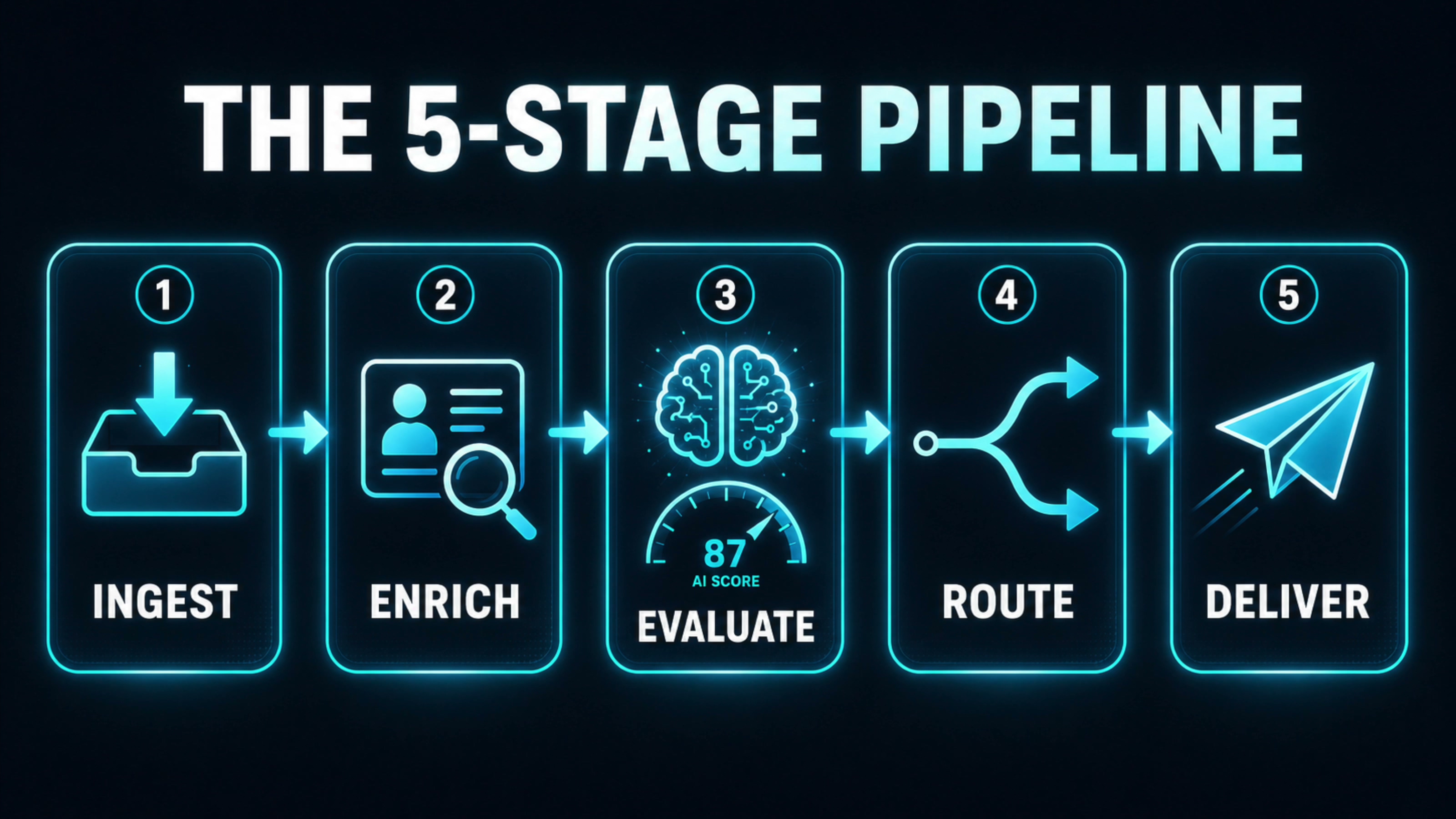
The whole architecture is five nodes, each doing exactly one job:
- Ingest: a webhook receives the lead from your form.
- Enrich: Apollo.io looks up the company behind the email.
- Evaluate: OpenAI scores the lead and writes a personalized opener.
- Route: an If node decides hot or cold.
- Deliver: hot leads go to Slack.
Stage 1: Ingest the lead (webhook)
In a new n8n workflow, click Add first step and add a Webhook node. Set the HTTP method to POST, set the path to new-lead, and set Respond to Immediately. Rename the node to Ingest New Lead.
Click Listen for test event to get the live test URL, then send it a sample lead from your terminal:
curl -X POST "YOUR_WEBHOOK_URL" \
  -H "Content-Type: application/json" \
  -d '{"firstName":"Patrick","lastName":"Collison","email":"patrick@stripe.com","company":"Stripe"}'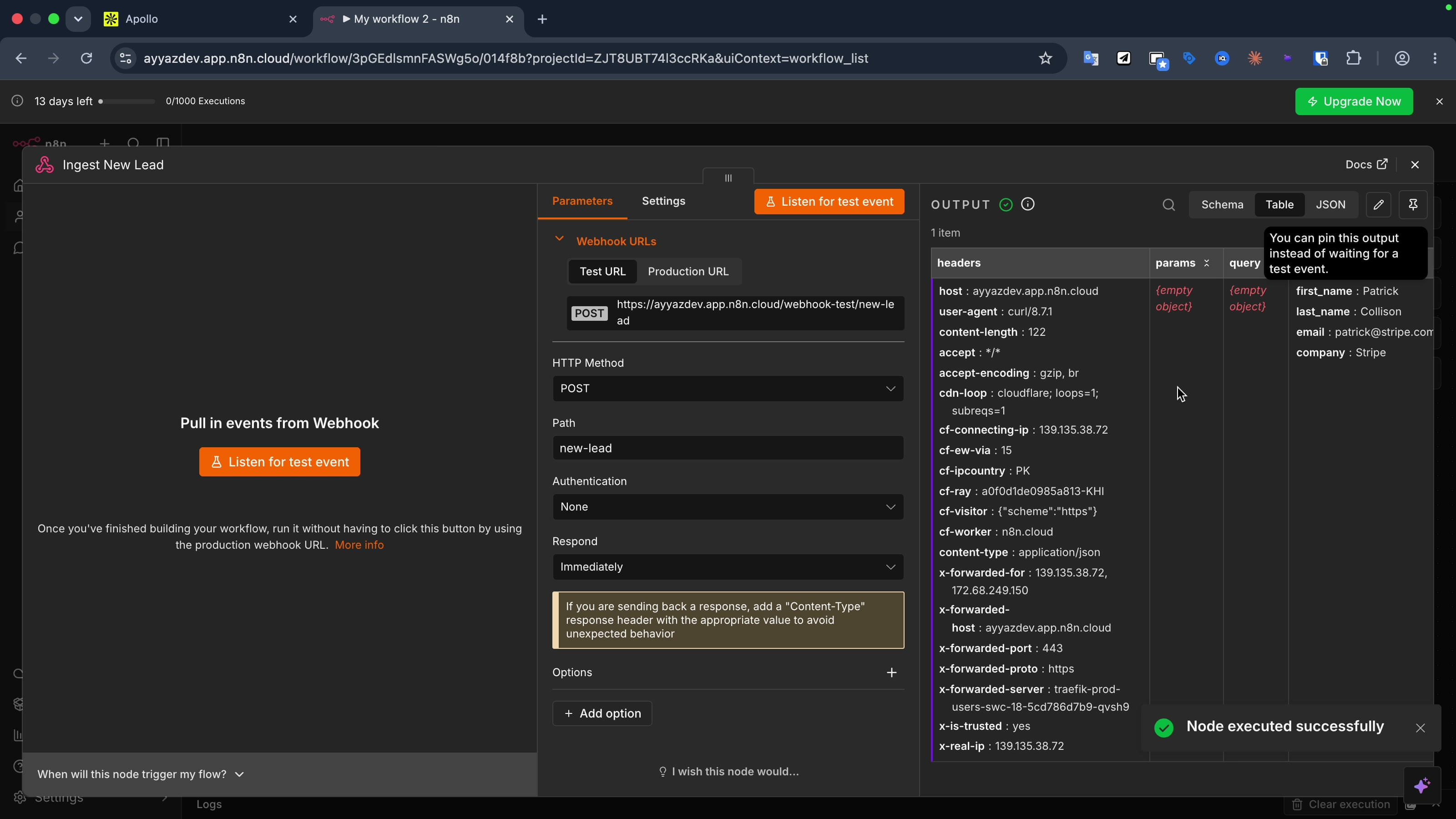
That webhook is the only entry point. Any form on the planet can POST to it: Webflow, WordPress, a custom React form, Typeform, anything.
Stage 2: Enrich with Apollo.io
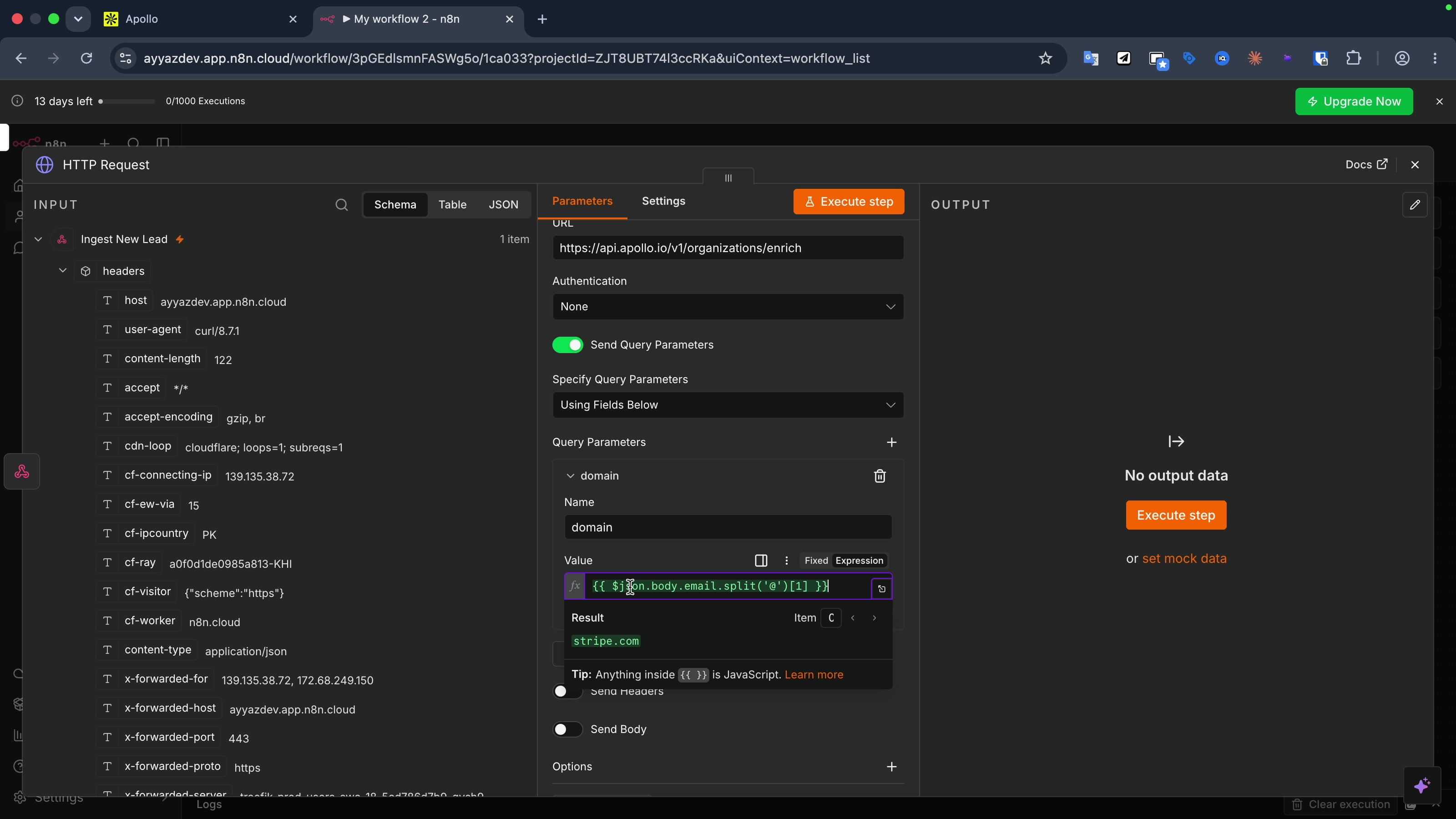
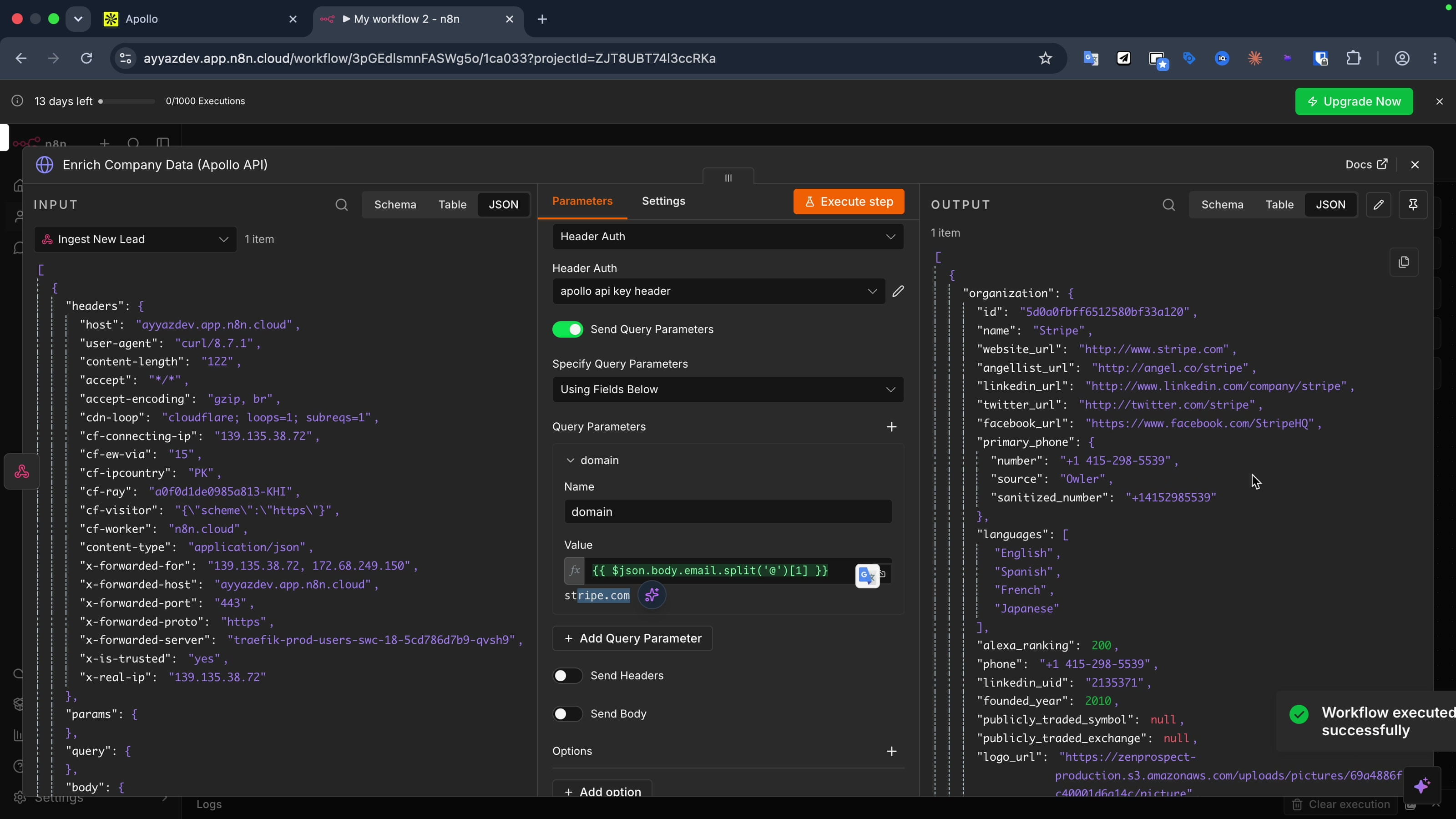
Add an HTTP Request node. Set the URL to Apollo's organization enrichment endpoint:
https://api.apollo.io/v1/organizations/enrichMethod stays GET. Enable query parameters and add one parameter, domain, with its value set as an expression that pulls the domain out of the submitted email. The email arrives in the body of the previous webhook node, so we split it on the @ character and take the second half:
{{ $json.body.email.split('@')[1] }}For patrick@stripe.com that resolves to stripe.com.
The secure way to send the API key. Do not paste your Apollo key into a query parameter or a raw header value. In the node's Authentication dropdown, choose Generic Credential Type, then Header Auth, and store the key there as x-api-key. Two reasons this matters:
- API keys in URL query strings leak into server logs, proxy logs, and browser history. Headers do not.
- When you export your n8n workflow as JSON, stored credentials are stripped out, but a key typed into a raw node field is included in the export. Storing it as a credential keeps it out of any backup or shared file.
Grab the key from developer.apollo.io, paste it into the credential, save, and rename the node to Enrich Company Data (Apollo API). Run the step, and you get back full company data: industry, employee count, estimated revenue, and more.
Stage 3: Score the lead with OpenAI
Add an OpenAI node, choose the Message a Model action, and add your OpenAI credential (create the key at platform.openai.com). Pick gpt-4o-mini. Then scroll to Add Option → Output Format and set it to JSON Object. This is important: it forces the model to return clean structured data instead of conversational text that would break the next nodes.
Add a system message with the scoring instructions:
You are an expert revenue operations AI. Analyze the provided
company data. Output only a valid JSON object with exactly two keys:
"lead_score" (an integer from 1 to 10, where 10 is a massive
enterprise and 1 is a tiny startup, based on employee count and
revenue) and "sales_hook" (a short, personalized one-sentence
opening line a salesperson could use to email the lead, referencing
their specific industry or company).
Then add a user message that passes in the lead name (from the webhook node) and the company data (the organization object from the Apollo node).
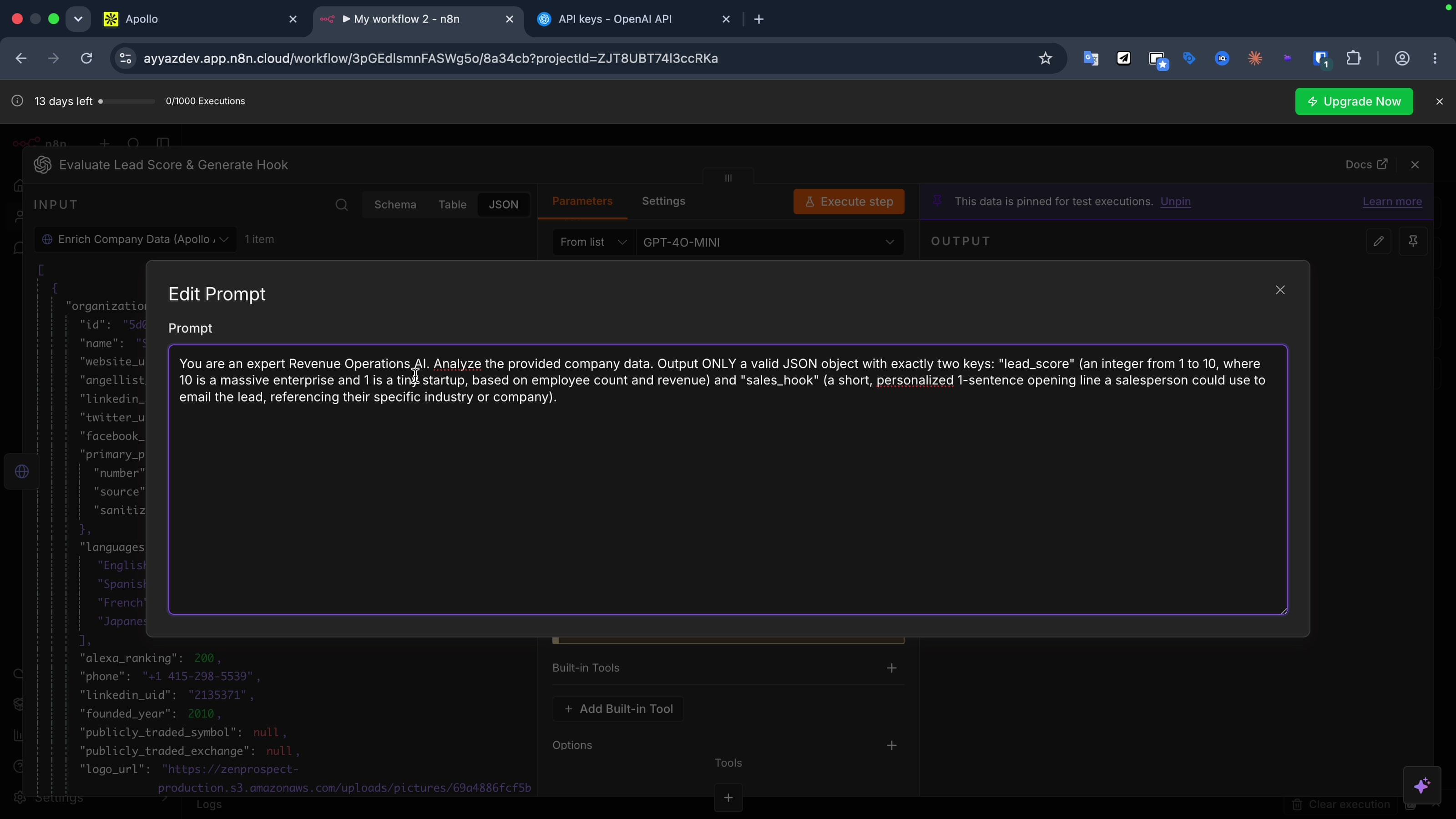
Run it. You get back something like a score of 10 with a hook: "Hi Patrick, with Stripe's impressive reach in the fintech sector, I'd love to discuss how our solutions can optimize your payment processing." Clean, structured, ready to use.
(This node works with Claude or Gemini too, just swap the credential. gpt-4o-mini is used here because it is fast and cheap, and the structure is identical.)
Stage 4: Route hot leads (If node)
Add an If node. Set the condition to the lead score, as a number, greater than or equal to 7. Rename it Is Lead Score >= 7?
Here is the part most people miss. The model's output is not at the top level of the JSON, it is nested inside the message envelope. If you reference $json.lead_score directly, you get undefined. You could add a Code node to flatten the payload, but that is slower and unnecessary. Reference the full nested path directly in the expression instead:
{{ $json.output[0].content[0].text.lead_score }}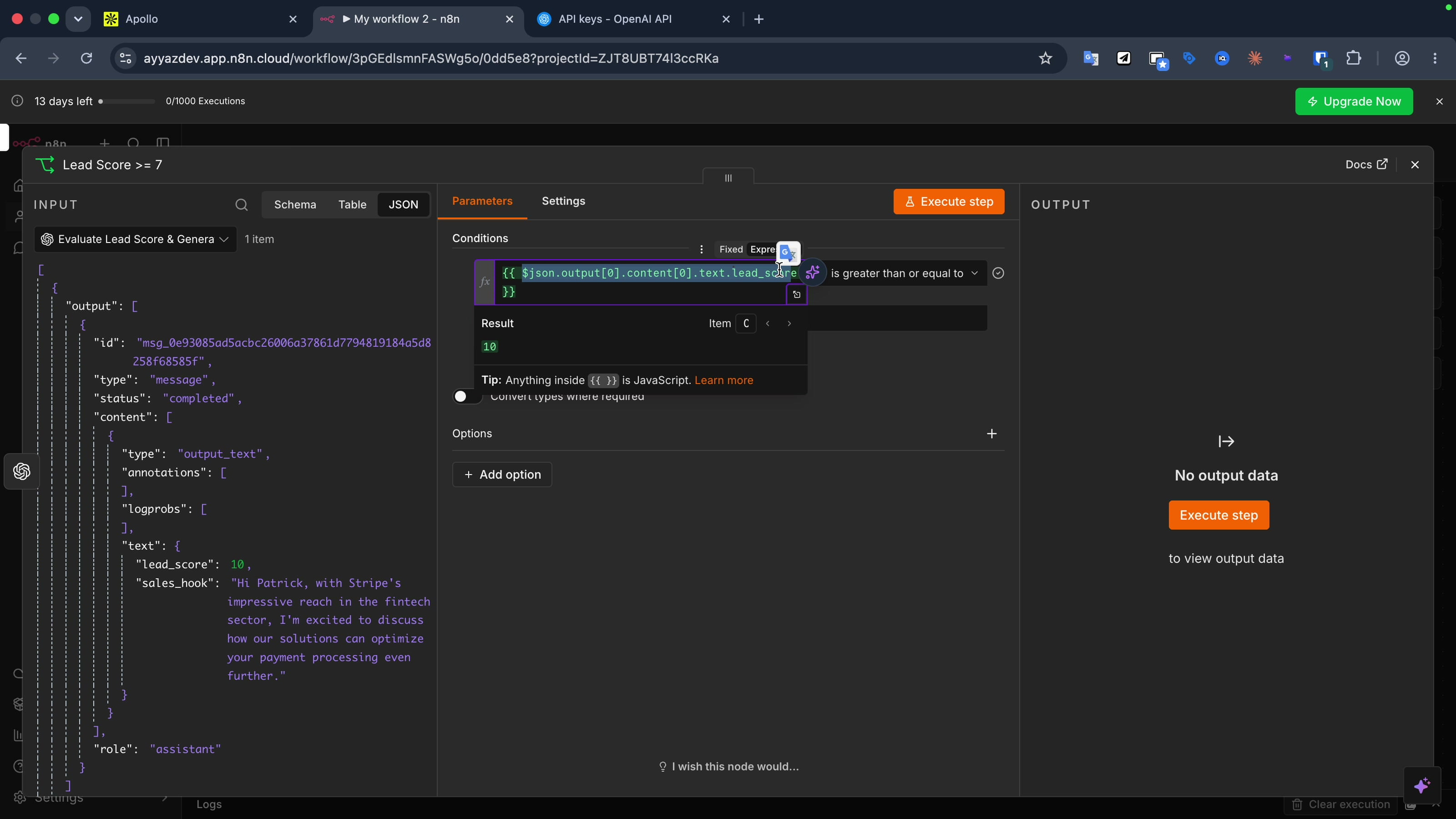
Run the step with the Patrick lead and the data flows down the true branch, it passed the gate.
Stage 5: Deliver the Slack alert
Add a Slack node, choose Send Message, and connect your Slack account (the "Connect to Slack" button handles OAuth, just confirm the right workspace). Pick the channel for hot leads, I use #alerts. Set the message type to a simple text/markdown message, and build the alert with an expression that pulls in the lead name, company, score, and the AI sales hook.
Rename the node to Send High-Priority Slack Alert and run it.
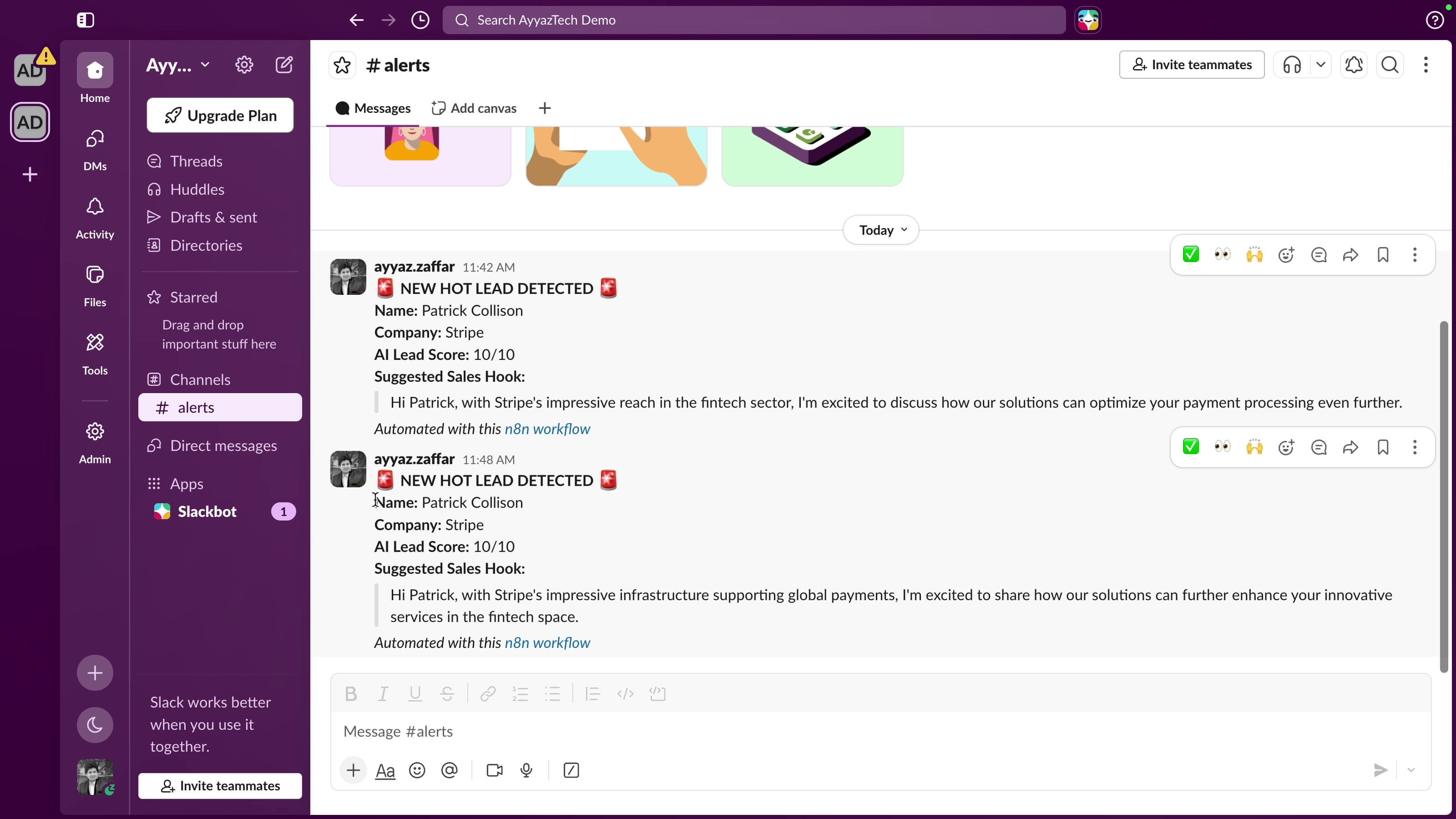
The message lands in Slack, beautifully rendered: "New hot lead detected, Patrick Collison at Stripe, AI lead score 10/10," followed by the suggested opening line. Your salesperson can copy it and start the conversation immediately.
Testing it end to end
To make it feel real, point an actual form at the webhook. Submit a strong lead (a big company) and the Slack alert fires within seconds.
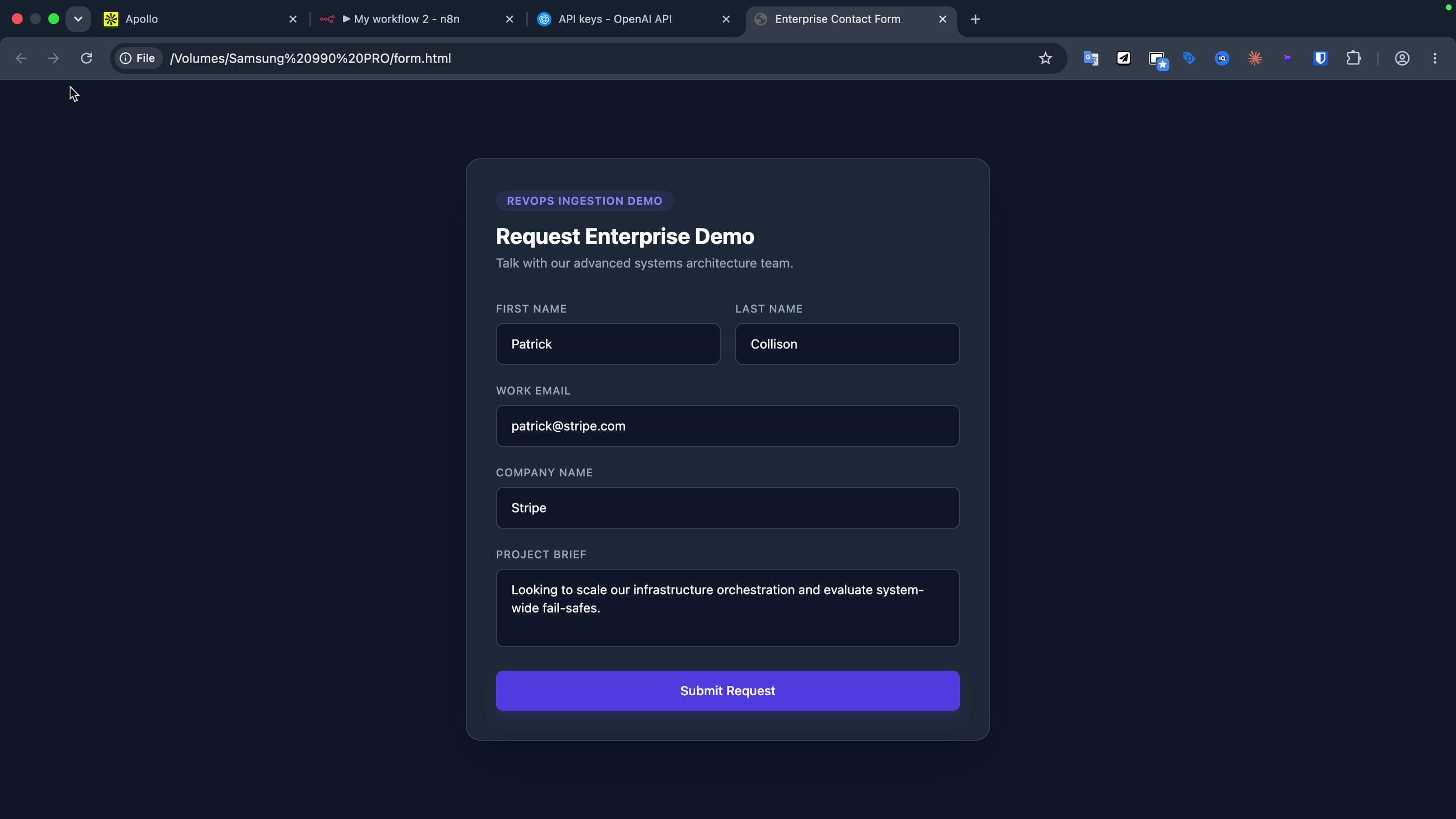
Now submit a weak lead, a tiny or fake company. This time the AI scores it below 7, the If node sends it down the false branch, and nothing hits Slack. No noise, no false alerts. You only get pinged when a lead is actually worth your attention.
Get the workflow
The complete workflow is on GitHub, import the JSON straight into n8n and wire in your own keys:
github.com/AyyazTech/n8n-revops-lead-scoring
Wrapping up
That is a complete, production-shaped lead scoring pipeline: ingest, enrich, evaluate, route, deliver. Five nodes, no code, running on free tiers. The two things that make it production-grade rather than a toy are the secure credential handling and the conditional routing that keeps cold leads out of your channel.
Want this built and tuned for your business?
I build production AI automation pipelines wired into your real CRM, forms, and tools, with the fail-safes that keep them reliable. If you would rather have this done for you than build it yourself, that is exactly what I do.
See the service and get a quote →Tools I Use
- Hostinger for VPS and hosting: ayyaztech.com/go/hostinger
- Claude and Claude Code, my daily AI pair-programmer: claude.ai
- VS Code, my editor: code.visualstudio.com
Some links above are affiliate links. Using them supports the channel at no extra cost to you.