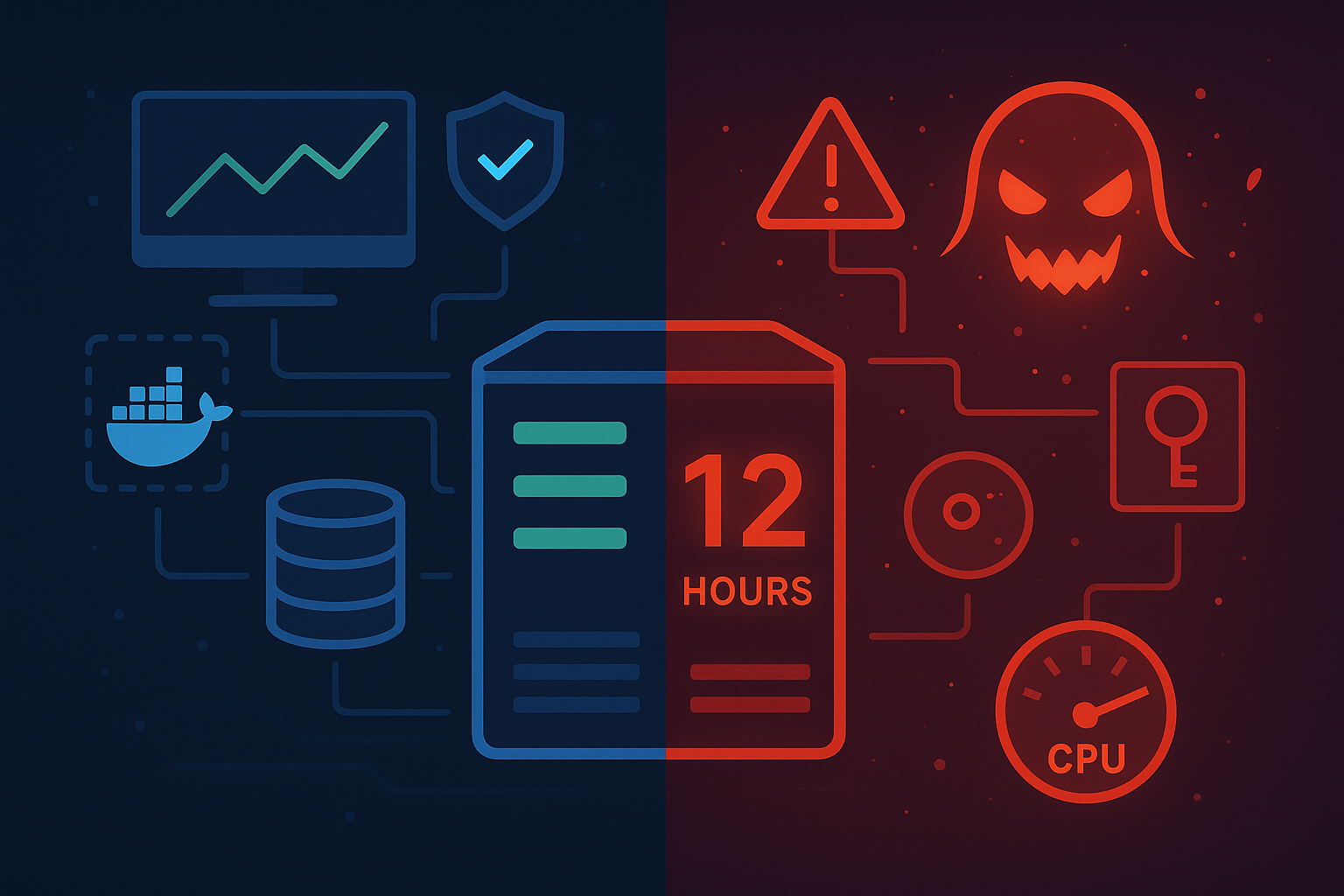
TL;DR: I deployed Firecrawl's official docker-compose for web scraping. Within 12 hours, my server was compromised with a cryptominer consuming 764% CPU. Here's what happened, how Firecrawl's default configuration enabled it, and how to protect yourself.
The Setup
I run a 16GB Hetzner server hosting several self-hosted AI services: Open WebUI, n8n, LiteLLM, and SearXNG. Everything was running smoothly with a server load averaging 0.72 and RAM usage around 3.4GB.
I needed web scraping capabilities for Open WebUI, and Firecrawl seemed perfect:
- ⭐ 65,600+ GitHub stars
- 🏢 Professional team (Mendable AI)
- 📦 4,499+ commits, active development
- 🤝 Used by LangChain, LlamaIndex, and major AI frameworks
The documentation was clear: clone the repo, run docker compose up -d, and you're done. Standard deployment process.
October 30, evening: Deployed Firecrawl following official documentation.
October 31, morning: Something was terribly wrong.
The Discovery
ssh root@nodes.ayyaztech.comuptime06:15:49 up 1 day, 14:22, load average: 8.11, 8.33, 8.36My normally quiet server had a load average of 8.11. For context, it's usually under 1.0.
free -h total used freeMem: 15Gi 7.1Gi 740MiRAM usage had jumped from 3.4GB to 7.1GB. CPU fans were at maximum. Something was mining cryptocurrency on my server.
The Smoking Gun
I checked the Firecrawl PostgreSQL container:
docker exec nuq-postgres-... ps auxUSER PID %CPU %MEM VSZ RSS COMMANDpostgres 1442 0.0 0.0 709388 13320 /tmp/kinsingpostgres 1769 764.0 15.1 3379788 2415080 /tmp/kdevtmpfsiTwo malicious processes:
kinsing- Malware dropper (0% CPU, waiting)kdevtmpfsi- Cryptominer (764% CPU, using 8 cores!)
The cryptominer had been running for 90 hours straight, mining cryptocurrency at my expense.
How Did This Happen?
Let me show you Firecrawl's official docker-compose.yaml:
postgres: image: postgres:15 ports: - "5432:5432" # ← EXPOSED TO THE INTERNET environment: POSTGRES_USER: postgres # ← DEFAULT USERNAME POSTGRES_PASSWORD: postgres # ← DEFAULT PASSWORD POSTGRES_DB: postgresThe vulnerability:
- PostgreSQL port exposed to 0.0.0.0:5432 (accessible from anywhere)
- Default credentials:
postgres/postgres(industry-standard weak password) - pg_cron extension enabled (perfect for malware persistence)
- No firewall requirements documented
Within 12 hours, automated scanners:
- Found my server's exposed PostgreSQL port
- Tried default credentials (
postgres/postgres) - Gained access ✅
- Exploited pg_cron to install malware
- Started mining cryptocurrency
This is a known attack pattern. The malware signature (kinsing + kdevtmpfsi) specifically targets exposed databases on cloud servers.
The Response
Immediate Actions:
# 1. Stop all Firecrawl containersdocker stop api-... nuq-postgres-... playwright-... redis-...# Server load dropped immediately: 8.11 → 0.73 ✅# RAM freed: 3.7GB ✅Security Audit:
# 2. Scan ALL other containers for malwarefor container in $(docker ps --format '{{.Names}}'); do docker exec $container ps aux | grep -E "(kdevtmpfsi|kinsing)"done# Result: Clean ✅ (malware contained to Firecrawl)# 3. Check host systemps aux | grep -E "(kdevtmpfsi|kinsing)"# Result: Clean ✅ (Docker isolation worked)# 4. Verify SSH keyscat ~/.ssh/authorized_keys# Result: No backdoors ✅Complete Removal:
# 5. Remove containers, images, networksdocker rm -f api-... nuq-postgres-... playwright-... redis-...docker rmi -f firecrawl-api firecrawl-postgres ...docker network rm firecrawl-network# 6. Clean up databasedocker exec postgres psql -U postgres -c 'DROP DATABASE firecrawl;'docker exec postgres psql -U postgres -c 'DROP USER firecrawl_user;'Final Result:
- Server load: 0.13 (back to healthy)
- RAM usage: 3.4GB (back to normal)
- All services: Operational ✅
- Malware: Completely removed ✅
Is Firecrawl Bad?
No. Let me be clear about this.
Firecrawl (the project) is legitimate:
- 65,600+ stars, professionally maintained
- Used in production by major companies
- Clean, well-documented codebase
- Active community and development
Firecrawl (the cloud API) is safe:
- Managed infrastructure
- No self-hosted security risks
- Professional security team
The problem: Firecrawl's default self-hosted configuration has dangerous security settings that most users won't catch.
This is a configuration issue, not a code issue.
Why This Matters
I'm not the only one affected by this. Here's why this is critical:
1. Scale of Impact
- 65,600+ stars = thousands of deployments
- Default configs are typically not changed
- Most users trust official documentation
- "Deploy with Docker" implies it's production-ready
2. Attack Timeline
Oct 30, 8:00 PM - Deployed FirecrawlOct 31, 8:00 AM - Already compromised (12 hours)Automated scanners are fast. They're constantly scanning the internet for:
- Exposed PostgreSQL ports (5432)
- Exposed MySQL ports (3306)
- Exposed Redis ports (6379)
- Default credentials
3. Cost Beyond Compute
My incident cost:
- ~$5-10 in wasted compute (90 hours mining)
- 6 hours investigating and cleaning up
- Potential data exposure (if malware had been more sophisticated)
But the real cost is trust. When official repos have dangerous defaults, it erodes confidence in open-source deployment.
The Bigger Problem: Docker Security Culture
This incident highlights a broader issue in the Docker ecosystem:
Dangerous Defaults Are Common
How many docker-compose.yaml files have you seen with:
ports: - "5432:5432" # Exposed to internet - "3306:3306" # Exposed to internet - "6379:6379" # Exposed to internetThese should almost never be exposed unless you have specific reasons and proper firewall rules.
Better Default Configuration
This is what it should look like:
postgres: image: postgres:15 # NO PORT MAPPING - internal only environment: POSTGRES_USER: ${POSTGRES_USER} # Required .env file POSTGRES_PASSWORD: ${POSTGRES_PASSWORD} # Required strong password POSTGRES_DB: ${POSTGRES_DB} networks: - internal # Separate internal networkSecurity Warnings Are Missing
The README should include:
⚠️ SECURITY WARNING:Before deploying to production:1. Change ALL default credentials2. Remove port mappings for databases3. Configure firewall rules4. Use strong, unique passwords5. Keep databases on internal networks onlySee SECURITY.md for details.How to Protect Yourself
If you're self-hosting any Docker-based application:
1. Audit Before Deploy
# Check what ports are being exposedgrep -r "ports:" docker-compose.yml# Look for hardcoded credentialsgrep -r "PASSWORD" docker-compose.yml .env*# Check for dangerous bindings (0.0.0.0)grep -r "0.0.0.0" docker-compose.yml2. Set Resource Limits
Add this to every container:
deploy: resources: limits: cpus: '2.0' # Limit CPU usage memory: 1G # Limit RAM usage reservations: memory: 512MThis prevents runaway processes from consuming all resources.
3. Monitor Actively
# Check resource usagedocker stats --no-stream# Look for suspicious processesdocker exec CONTAINER ps aux | grep tmp# Monitor server loaduptimeSet up alerts for:
- Load average > 2x CPU core count
- Unexpected CPU spikes (>100% single core)
- Unusual RAM usage patterns
4. Use Internal Networks
networks: internal: driver: bridge internal: true # No external accessservices: postgres: networks: - internal # Only accessible by other containers5. Implement Defense in Depth
- Firewall: Block all ports except 22, 80, 443
- Fail2ban: Auto-ban brute force attempts
- Regular updates: Keep Docker and images updated
- Minimal privileges: Don't run as root inside containers
- Read-only filesystems: Where possible
Red Flags to Watch For
These are signs your container might be compromised:
CPU/RAM Spikes
# Normalload average: 0.5, 0.6, 0.7# Suspiciousload average: 8.11, 8.33, 8.36 # 🚨Unusual Processes
# Look for processes in /tmp/ with random names/tmp/kdevtmpfsi # 🚨/tmp/kinsing # 🚨/tmp/xmrig # 🚨Network Connections
# Check for unexpected outbound connectionsnetstat -tuln | grep ESTABLISHED# Mining pools typically use ports 3333, 4444, 8080File System Changes
# New files in /tmp/# New cron jobs# Modified system binariesWhat Firecrawl Should Do
I'm reporting this responsibly to the Firecrawl team. Here are my recommendations:
1. Fix Default Configuration (Critical)
# Remove port exposurepostgres: image: postgres:15 # Remove: ports: - "5432:5432" environment: POSTGRES_USER: ${POSTGRES_USER:-Change this!} POSTGRES_PASSWORD: ${POSTGRES_PASSWORD:?Password required}2. Add Security Documentation
Create a SECURITY.md with:
- Deployment security checklist
- Firewall configuration guide
- Credential management best practices
- Incident response procedures
3. Provide Secure Templates
templates/├── docker-compose.dev.yml # For development (exposed ports OK)├── docker-compose.prod.yml # For production (secure by default)└── docker-compose.secure.yml # Hardened configuration4. Add Security Warnings
Update README.md with prominent warnings about exposed services.
Lessons Learned
For Developers:
- Secure by default - Security should be opt-out, not opt-in
- Never hardcode credentials - Always use environment variables
- Minimize exposed ports - Internal networking should be the default
- Document security implications - Users need to know the risks
- Provide secure examples - Show users the right way
For Users:
- Never trust defaults - Always audit before deploying
- Monitor resource usage - Quick spikes are red flags
- Use official images - Prefer
postgres:16-alpineover custom builds - Implement layered security - Firewall, monitoring, limits
- Keep it simple - Complexity increases attack surface
For Me:
- ✅ Always audit third-party configs - Even from trusted sources
- ✅ Set resource limits on everything - Prevent resource abuse
- ✅ Monitor actively - Daily checks of
docker statsanduptime - ✅ Use managed services when possible - Firecrawl cloud API is safer
- ✅ Document everything - Future me will thank present me
The Alternative
The irony? I deployed Firecrawl for web scraping in Open WebUI.
Turns out: Open WebUI has built-in web scraping that works perfectly. I didn't need Firecrawl at all.
Sometimes the best security decision is not deploying something.
If you do need advanced web scraping:
- Use Firecrawl's cloud API (https://api.firecrawl.dev) - Secure, managed
- Use Open WebUI Pipelines - Built-in, no external service needed
- Self-host with caution - Follow the security checklist above
Final Thoughts
This was a learning experience, not a disaster. Docker's container isolation worked perfectly - the malware never escaped. SSH remained secure. Other services were unaffected. Response time was quick.
But it highlights a critical issue: dangerous defaults in official documentation.
When projects with 65,000+ stars ship configurations that expose databases with default credentials, thousands of users are potentially affected. Most won't check. Most will trust the official docs. Most won't notice until it's too late.
We can do better.
If you're maintaining a self-hosted application:
- Review your
docker-compose.yamlfor security issues - Add security warnings to your README
- Provide secure configuration templates
- Make security the default, not an afterthought
And if you're deploying self-hosted applications:
- Audit before you deploy
- Monitor after you deploy
- Be ready to respond when things go wrong
Stay safe out there. 🛡️
Resources
- Firecrawl GitHub: github.com/mendableai/firecrawl
- Docker Security Best Practices: docs.docker.com/engine/security
- CIS Docker Benchmark: cisecurity.org/benchmark/docker